
The following command shows which NIC Interfaces are UP or DOWN within the USS Gateway.
ip link show
To bring an interface up you need to do the following:
sudo ip link set INTERFACENAME up
service ussgw_sysmond restart
Firstly using ifconfig, identify that the interface is visible, and note the IP Address and netmask:
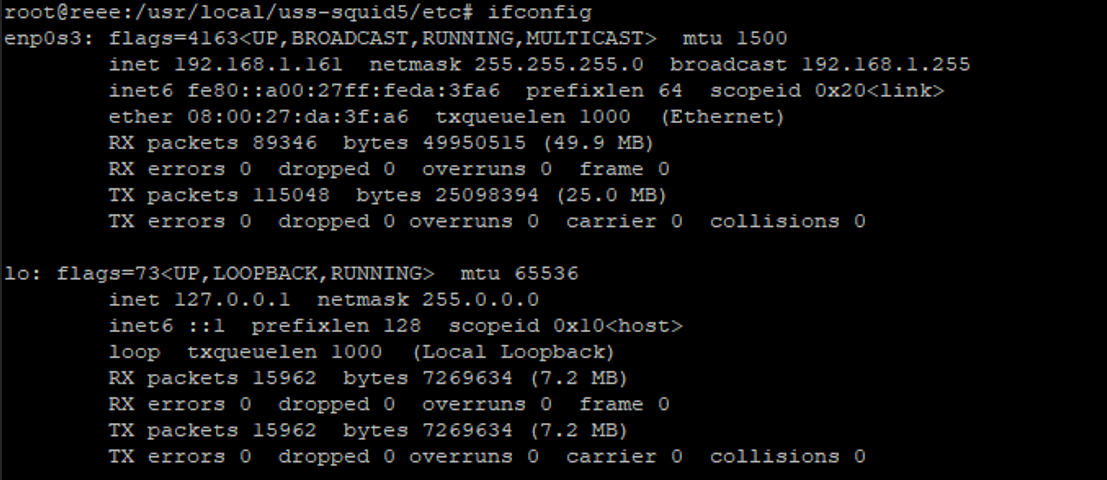
Then in the database. To access the database use commands
su - postgresSQL
psql cloudgwSQL
\dtSQL
The command \dt isn’t necessary as it just lists the DB tables, useful if you want to see what else is there)
select * from interfaces;SQL
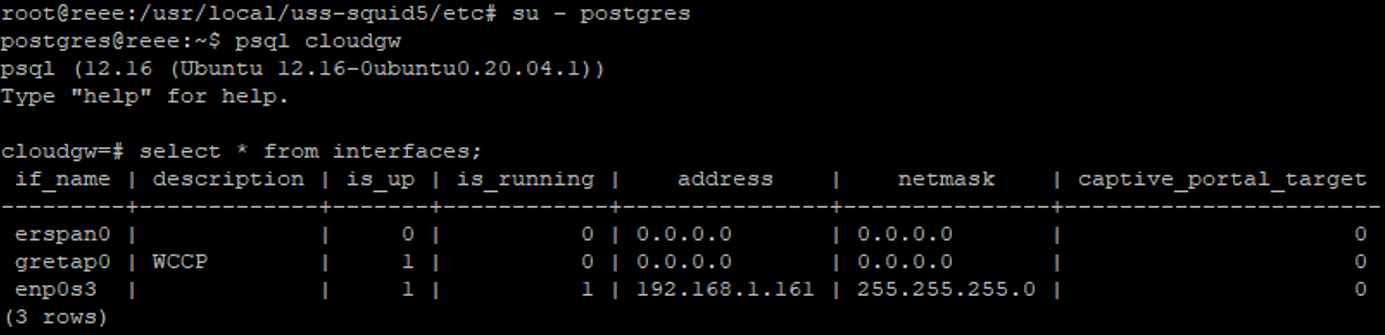
To edit interfaces using the DB (which you might need to do if the gateway UI is not reachable) use a simple SQL query:
*this was what we initially did, and it would have worked if the interface was already within the Gateway Database, as the interface was not already in the DB we had to insert it*
update interfaces set address='192.168.1.x' where if_name='interface_name';SQL
For e.g.

What we followed for inserting into the PSQL Database was:
INSERT INTO interfaces (if_name, address, netmask)
VALUES ('INTERFACE NAME', 'IP ADDRESS OF INTERFACE', 'NETMASK OF INTERFACE');
INSERT INTO interfaces (if_name, address, netmask)
VALUES ('INTERFACE NAME', 'IP ADDRESS OF INTERFACE', 'NETMASK OF INTERFACE');
run the following command again to ensure the interface has added properly
select * from interfaces;
but if the command was successful you should see the following output:
INSERT 0 1